moneytree

Saving is a habit before it's a balance.

Money Tree connects to your bank, makes sense of what you spend, and helps you build the habit. Access is read-only. We never see your bank login.

iPhone Australia & United States A Doalier venture
The product

For people who have never had money left over.

Most money apps assume you already save. Money Tree starts before that, with someone who wants to be better with money and has never had a system last a full month.

01

Everything in one number

Every connected account adds up to one figure, with a line showing which way it's heading. That's the first thing you see, instead of a wall of transactions to work through.
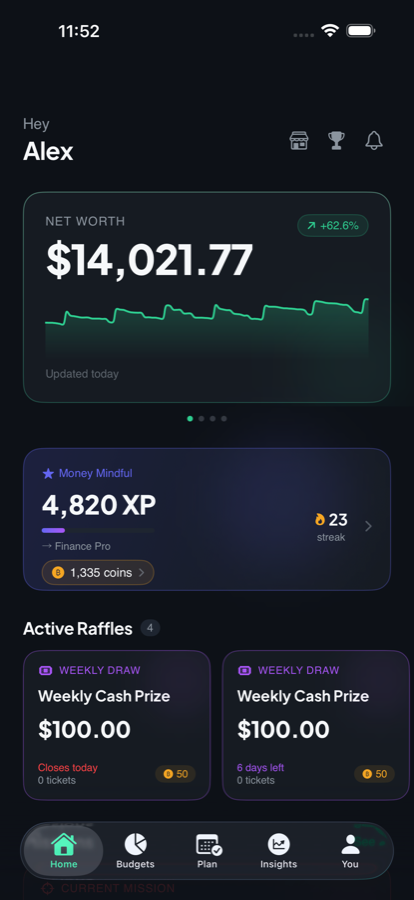
Money Tree home screen showing net worth, a trend line, experience points and a daily streak.
Home
02

Budgets that warn you in time

Categories come from your actual transactions, not a guess. Each budget shows what's left and how many days it has to cover, and flags trouble while there's still a week to do something about it.
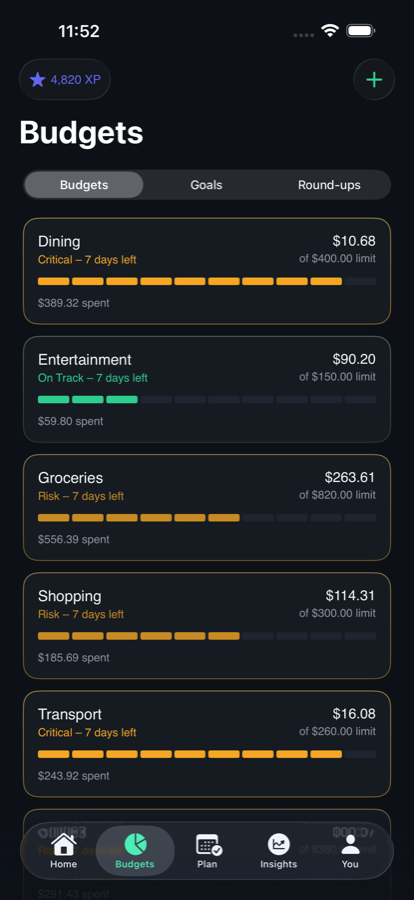
Budgets screen listing categories with amounts spent, limits and on-track or at-risk status.
Budgets
03

One honest number to spend

Insights works out what you can actually spend today, after the bills that haven't landed and the budgets you've already committed. Next to it sits your savings rate and how many months of cash you're holding.
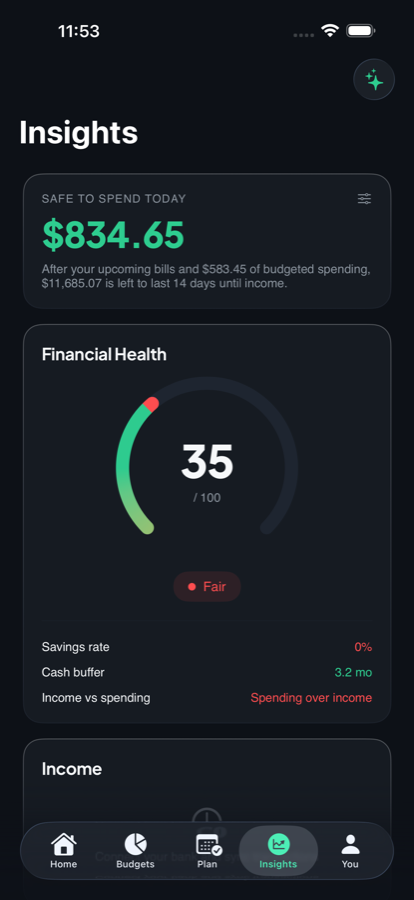
Insights screen showing a safe-to-spend figure, a financial health score, savings rate and cash buffer.
Insights
04

Round-ups, and what they become

Every purchase rounds up to the next dollar, and the spare change counts toward a goal. Beside it we show what the same habit could grow to if it were invested. That figure is labelled an illustration, because that's all it is.

Fractional investing in US stocks is what we're building next. Until it ships, round-ups are counted, not moved, and the app says so on the screen.
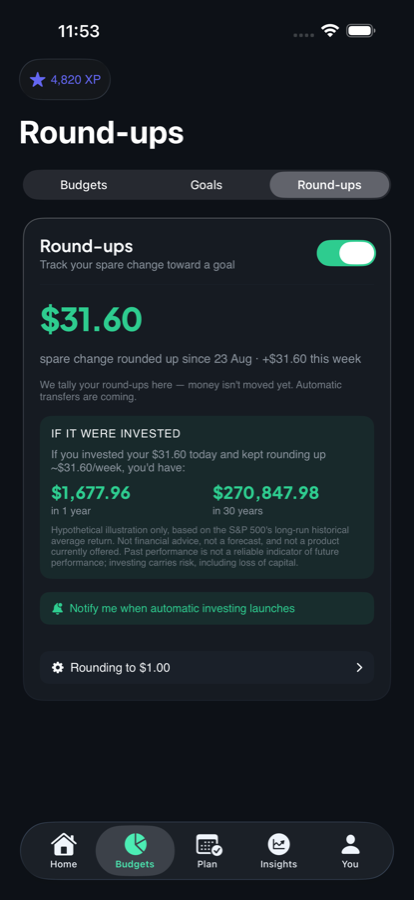
Round-ups screen showing spare change tallied toward a goal and a labelled hypothetical compounding illustration.
Round-ups
05

Habits, not lectures

Streaks, points and weekly challenges reward what you do, not what you have. Hold a dining budget. Skip takeout for a week. The balance takes months. The habit starts today.

Coins earned this way can go into prize draws. Entry is free, nothing you buy improves your odds, and subscribers get no advantage.
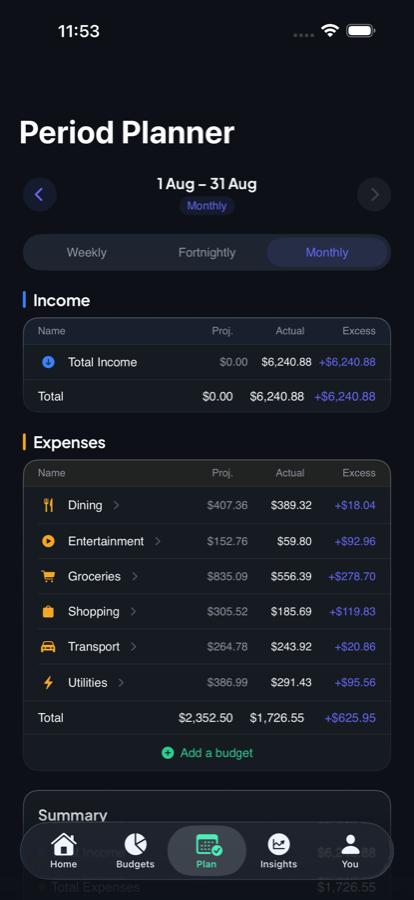
Planning screen showing budget periods and upcoming income and bills.
Plan
Where the data comes from

Two regulated markets, one consent model.

We hold no bank credentials and never have. In both markets you log in with your own bank, inside their flow, and grant read-only access you can withdraw any time from the app.

Australia

Bank data comes through the Consumer Data Right, via an accredited data recipient. Before anything is shared you see how long the consent lasts, what's collected and what it's for. The record stays available to you.

United States

Bank data comes through Plaid's hosted sign-in, so your credentials go to Plaid and your bank, never to us. Same read-only scope, same disconnect and delete controls.

Where it is up to

What ships, and what doesn't.

Money Tree is on iPhone, in beta on TestFlight in both markets, with an App Store release in preparation. Bank connections, budgets, goals, insights, round-up tracking and rewards are built and in use.

Automatic transfers and fractional investing aren't offered yet. The app says so on the screen where you'd look for them, not in a footnote.